
🇬🇧EN

Grayscale Image

Convert a photo to black & white in your browser — adjustable intensity.

✨ What do you want to try next?

You've finished this tool — here are a few you might find useful.

Explore 100+ free toolsPDF, Image, Text, Convert, Calculate and more — all free.View all tools →

About the Grayscale Converter

This turns a colour photo into grayscale (shades of gray) or high-contrast pure black-and-white. Removing colour is a classic look for portraits and street photography, a way to standardise images for a document or print, or a step toward a stark two-tone graphic. An intensity control lets you go all the way to gray or only partly desaturate for a muted, faded-colour effect. However you spell it — grayscale or greyscale — it simply makes your picture grey.

Starting from an underexposed or flat-looking photo? Fixing that first with Brightness & Contrast often gives a cleaner grayscale result than converting the original.

How it works
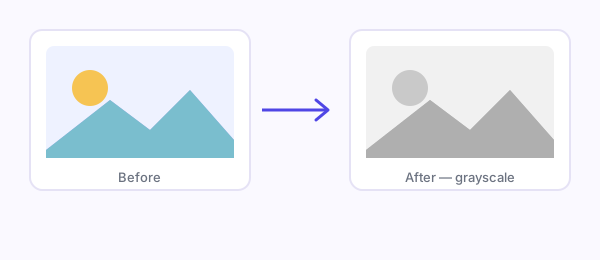
A colour photo card next to the same photo converted to grayscale

The image is drawn to a canvas with a grayscale filter applied at the strength you set — 100% is fully gray, lower values leave some colour for a desaturated look. There's also an optional pure black-and-white mode: this takes each pixel's brightness (using the standard luminance weighting, where green counts most and blue least) and snaps it to either black or white at a mid-point threshold, producing a stark two-tone image with no grays. The result downloads as a PNG.

Assumptions and behaviour

  • Grayscale intensity is adjustable from a subtle desaturation up to full gray.
  • The optional black-and-white (threshold) mode converts to pure black and white using perceptual luminance (0.299 R + 0.587 G + 0.114 B), matching how the eye weights colours.
  • Dimensions are unchanged; only colour is affected.
  • Output is PNG.

Limitations

  • Pure black-and-white mode uses a single fixed threshold, so very light or very dark photos can come out mostly white or mostly black — it doesn't offer an adjustable threshold or dithering for tonal detail.
  • Grayscale is a colour operation only; it doesn't sharpen, adjust exposure, or add film-style toning (sepia, duotone).
  • Output is PNG, so a grayscale photo won't be as small as a JPG — convert it to JPG or WebP or compress it afterwards if size matters.
  • It can't recover detail that's lost in over- or under-exposed areas of the original.

Privacy

The conversion runs entirely in your browser with the Canvas API. Your image is never uploaded or stored.


Frequently asked questions

Is this grayscale converter free?

Yes — free, no sign-up, no limits, runs in your browser.

Is 'greyscale' the same as 'grayscale'?

Yes — greyscale (British spelling) and grayscale (US spelling) mean exactly the same thing. This tool makes a picture grey either way; just drop in an image to turn it grayscale.

How do I make a picture gray?

Upload the photo and it's converted to gray instantly. Use the intensity slider to make it fully gray or only partly desaturated, then download the result.

Are my images uploaded?

No. The conversion happens locally with the Canvas API; your images never leave your device.

Can I control how gray it gets?

Yes. An intensity slider goes from a subtle desaturation up to fully gray, so you can also create a muted, faded-colour look.

What's the difference between grayscale and black & white?

Grayscale keeps a full range of gray tones; the black-and-white mode snaps every pixel to pure black or white at a threshold, giving a stark two-tone image with no grays.

How does the black & white mode decide black vs white?

It measures each pixel's perceptual brightness (weighting green most and blue least) and sets it to black or white at a mid-point threshold.

Why is my black & white result mostly white or mostly black?

The threshold is fixed, so very bright or very dark photos tip to one side. Adjust the original's brightness/contrast first if needed.

What format is the download?

PNG. Convert or compress it afterwards if you need a smaller file.

Lakshay Kumar

Written by Lakshay Kumar(TechLakshay)

A QA Automation Engineer by trade, Lakshay's real passion is untangling complex problems into simple, working solutions — which is exactly why FreeMyTask exists. On Instagram, he channels that same instinct into helping 26,000+ content creators with SEO education, motivation, and hands-on query solving.

Last updated: September 5, 2026
🎁